View ongoing movements on the people section
Improvement
Update
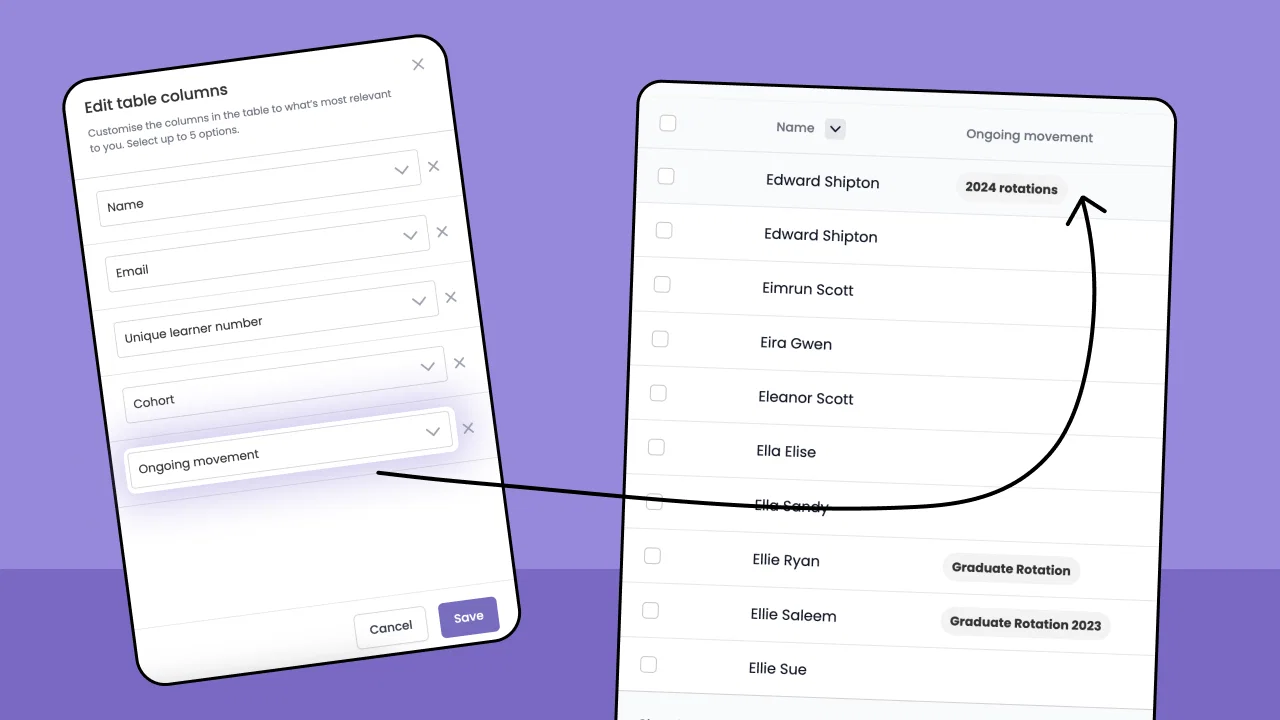
We've recently made an update to the 'People' section on Conveya.
You can now select 'Ongoing movements' as a table header in the people section. This means you can view which learners are currently ongoing on a movement at a glance.

Adding the 'Ongoing movement' header
To add the 'Ongoing movement' header to your people section table follow this step by step guide below:
- Navigate to the 'People' section using the menu on the left.
- Click the three dots next to the filter button at the top right.
- Click 'Edit table columns' to open the table edit slideover.
- From one of the dropdowns, select 'Ongoing movement'
- Hit 'Save' at the bottom right of the slideover to apply the table header change.
Note: You can only show 5 headers maximum on the people section.