Updates & Announcements

Stay tuned to all of our product launches, updates and announcements!

  1. In Development: People upload experience improvements

    Improvement
    3567c2e5-65f5-4b58-0538-340c30c3fe93

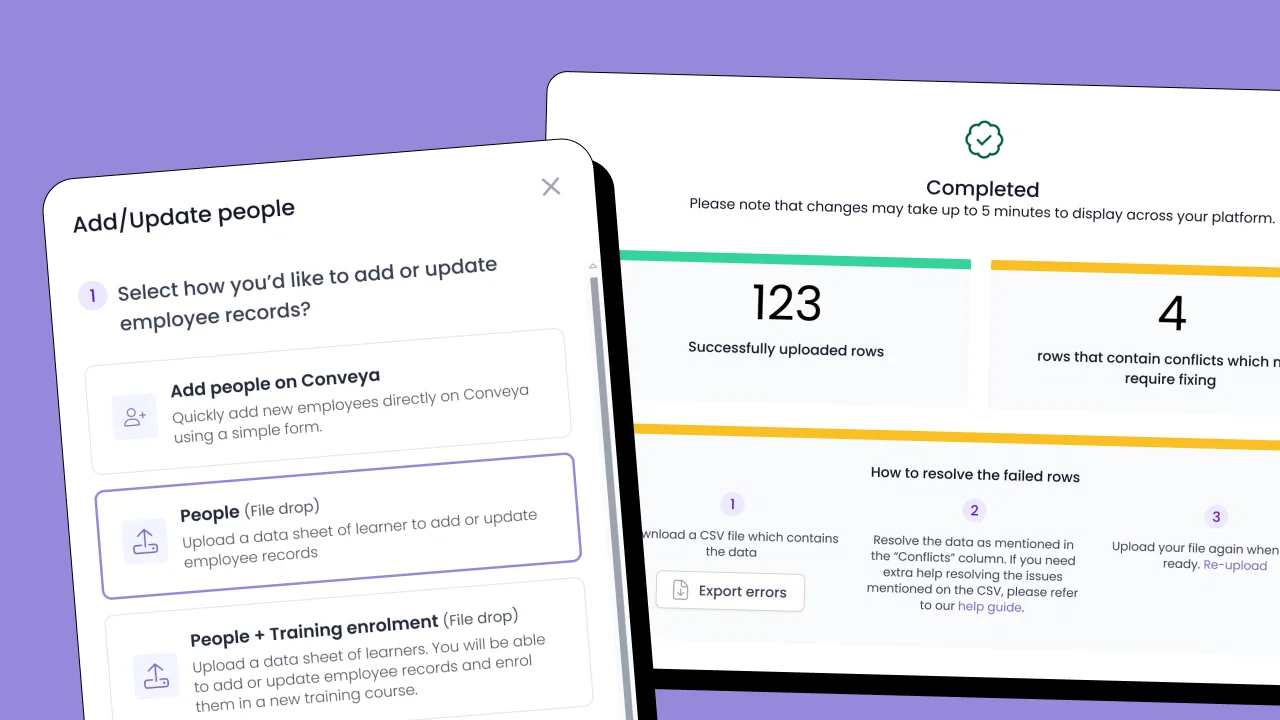
    We’ve had some great ideas and interest around improving how people are uploaded into the platform and how enrolment into training works. Based on your feedback, we’ve started developing updates to make this process smoother and more intuitive.

    Some of the improvements include:

    • The ability to add the leader’s first and last names separately
    • Better visibility of when rows are successfully added
    • A clearer, more user-friendly interface for adding new training providers
    • Improved error messages to help identify and resolve upload issues more easily
    • Acceptance of data lines without errors, meaning no need to start again!
    • Ability to update and edit course information and provider info.

    As you can appreciate, this is a delicate processes as the majority of platform data revolves around training info. We want to get it right and any further input you can provide would be greatly welcomed.

    If you’d like a first look at what we’re working on, you can book a session with our designer, Kelly. She’ll walk you through the improvements and gather any feedback you’d like to share, which is incredibly valuable in helping us finalise this important enhancement.

    Book a session by clicking HERE.

  2. Movement manager editing

    Improvement
    Update
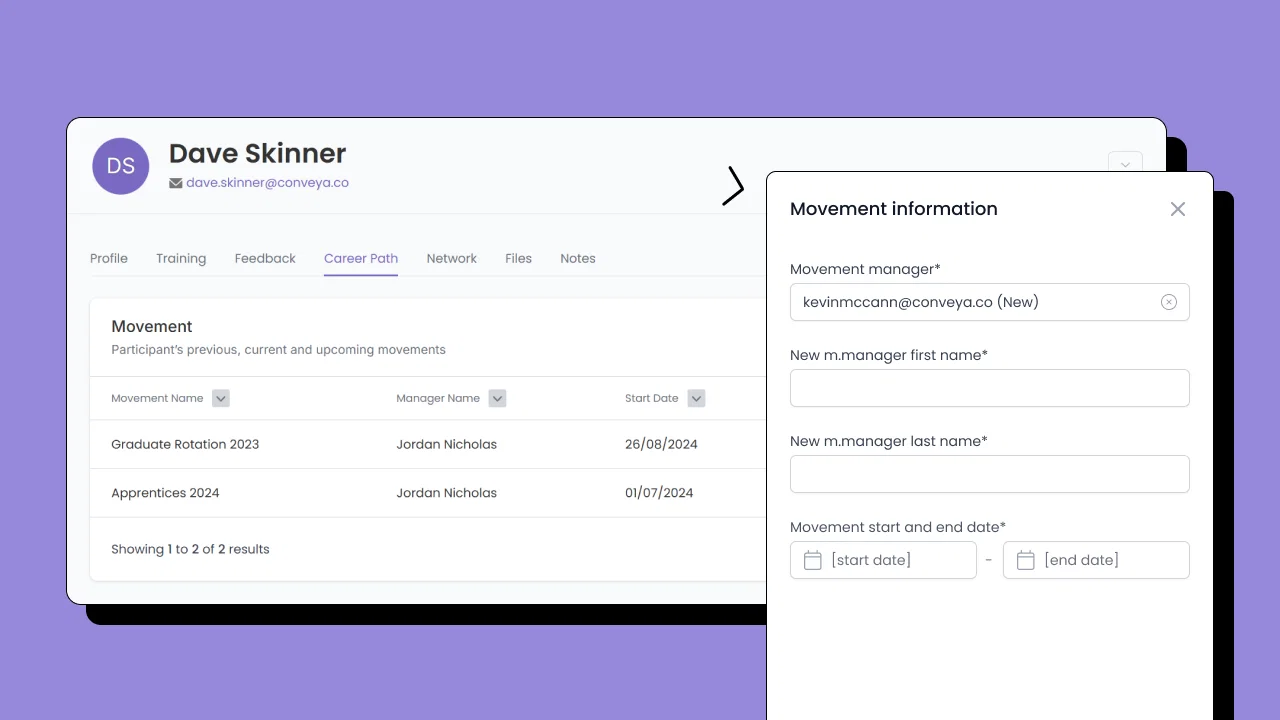
    Movement Manager Edit- Update cover

    An update to movements is being released tonight (31/03) that allows you to edit the movement manager of movement from various places on the platform such as the career path timeline or a learner's profile.

    We hope these changes make it quicker and easier to keep learner journeys up to date – especially when roles or managers change.

  3. Digital Logbooks

    New Feature
    Update
    Digital Logbooks Social Media Images (6)

    We’re excited to introduce our Digital Logbooks – a streamlined solution for managing evidence collection, progress tracking, and compliance across various training programmes.

    Our logbooks help to simplify training management and support structured development.

    Our logbooks can integrate with your existing platform or be used as a standalone solution if they align with your wider training initiatives, offering flexibility to suit your organisation’s needs.

    Designed for programme managers, mentors, and learners, they provide an effortless way to track progress and maintain compliance.

    If you or your learning & development team would like to see our logbooks in action, contact your account manager to arrange a demo.

  4. Training file upload upgrade

    Improvement

    We’ve made backend improvements to how training provider reports are processed on the Conveya platform.

    This update enhances the efficiency and accuracy of data handling, reducing manual intervention while ensuring smoother submissions.

    What’s changed?

    Improved processing speed – Reports are handled more efficiently in the background.

    Better data accuracy – Better validation reduces errors and inconsistencies.

    More reliable submissions – The system now processes files with fewer disruptions.

    This is an internal improvement that optimises how training provider data flows into the platform, making it more seamless for them to upload to Conveya.

  5. Feedback Analytics

    Update

    image

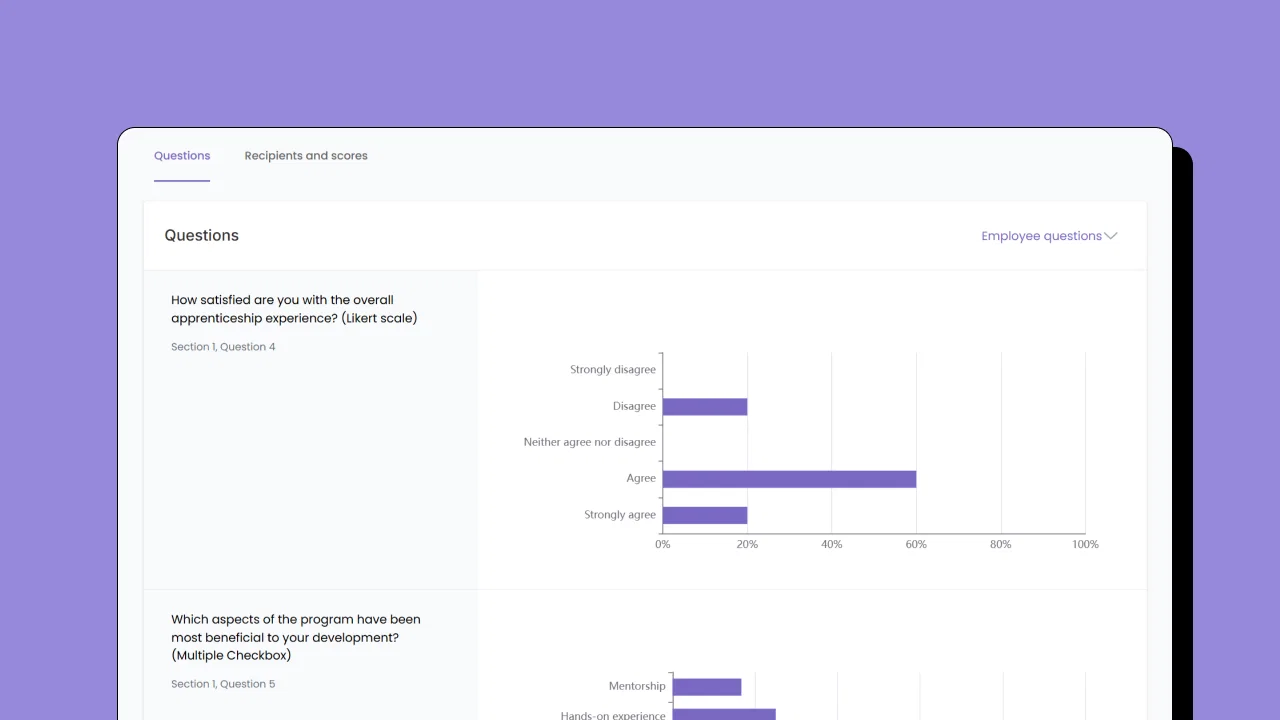
    We've released an update to our feedback feature. You can now view feedback analytics based on the surveys you've sent through your feedback automation.

    This update allows you to see the performance of each question that you add into your survey, as well as being able to view free-text answers left by your employees.

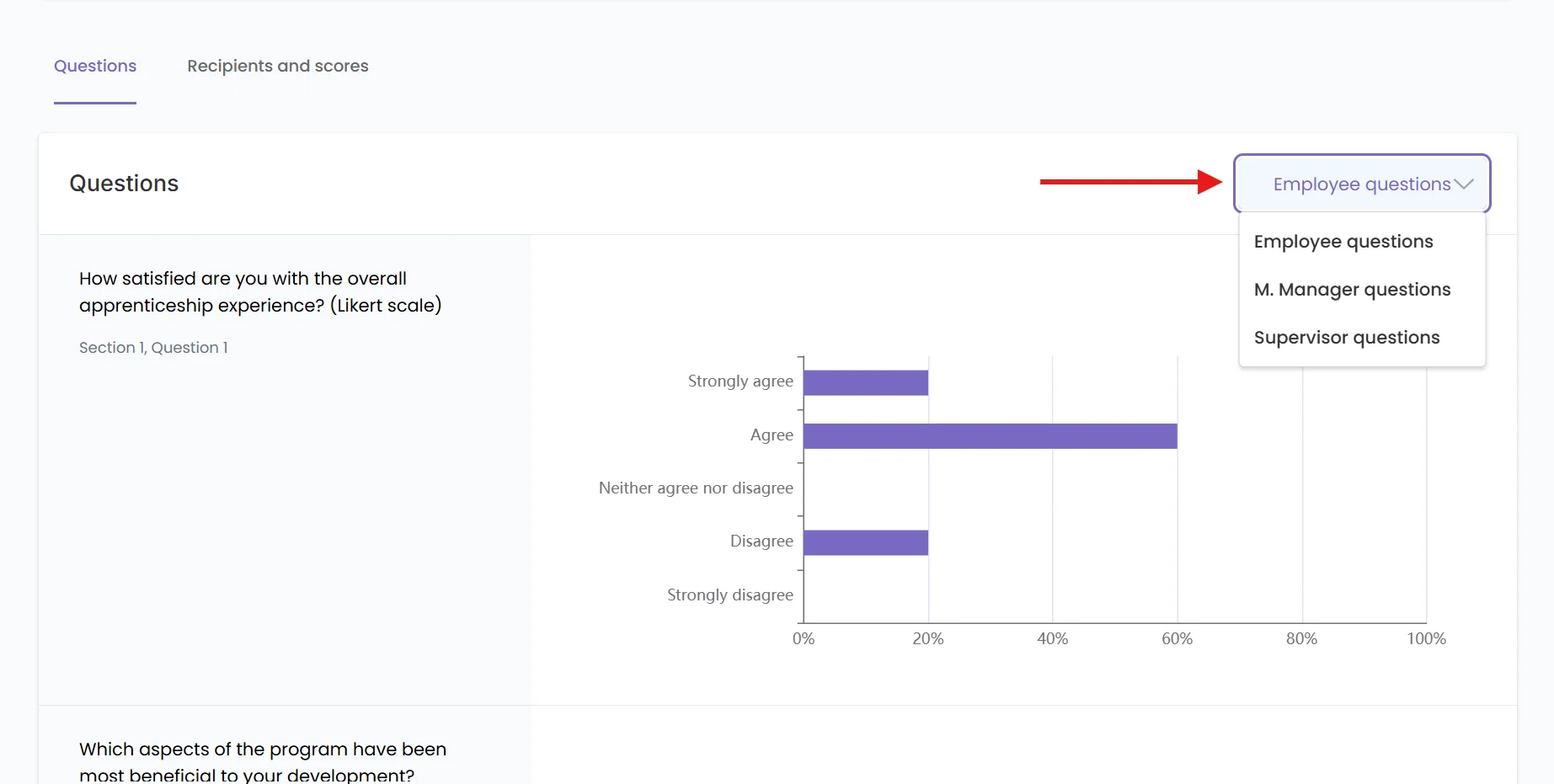
    To view feedback analytics from your feedback automations, click any feedback automation that has received completed surveys and you'll be met with the analytics dashboard with that specific automation.

    Pro tip: Use the dropdown to see feedback analytics for the other stakeholders that you've sent surveys to as part of the automation.

    feedback analytics dropdoown

  6. Update to the people export feature

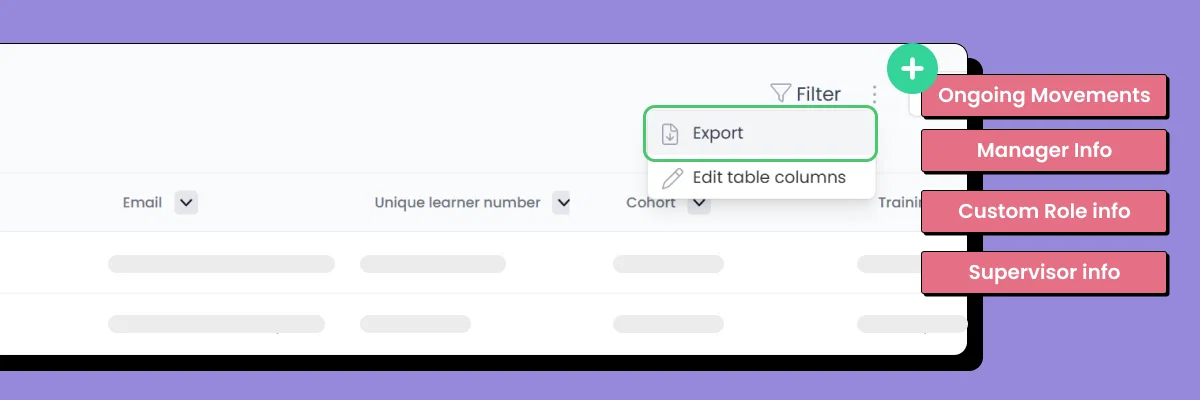
    We're pleased to announce an upgrade to the People Export feature on Conveya. This enhancement introduces new data fields designed to provide greater flexibility and detail in your exports.

    Frill - people export more

    Here's what's new:

    Ongoing Movement

    Export ongoing movements.

    Movement Manager

    Export active movement manager emails, aligned in the same order as the "Ongoing Movements" column to ensure precise mapping.

    Supervisor Email

    Export emails of active supervisors only.

    Manager Email

    Export emails of active managers for specific roles.

    Custom Roles Email (1-5)

    Export emails for up to five active custom roles.

    If there are multiple entries for a field, for example the movement manager, ongoing movements or custom roles - these entries will be separated by a comma.

    If you need a refresher on how to export people information, please refer to this article on our knowledge base: https://managerhelp.conveya.co/article/241-exporting-people-information.

  7. Movement Timeline

    Update
    Improvement

    image

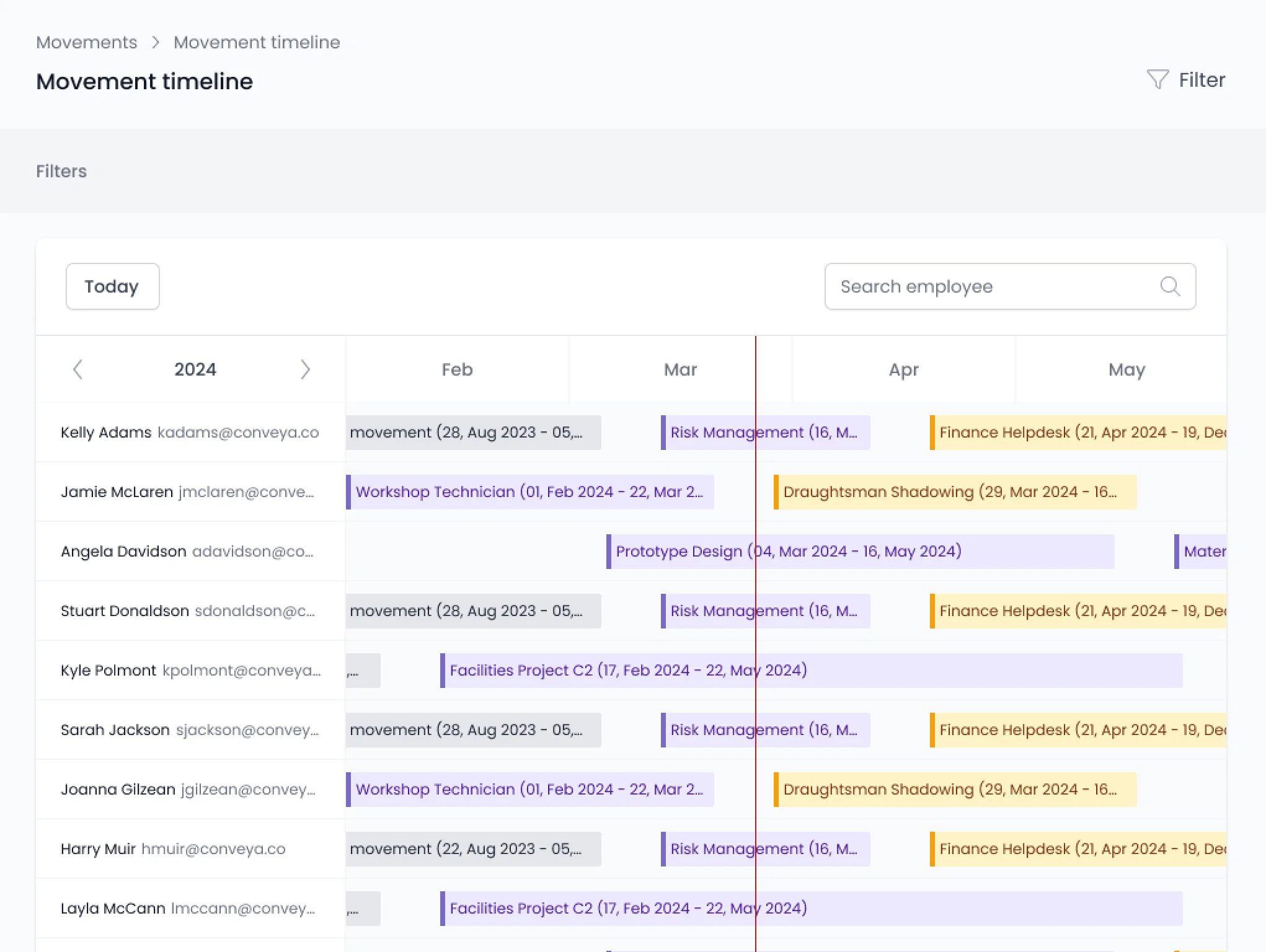
    An update has been made to the Movements feature, now including a Movement Timeline. This timeline provides a clear, bird's-eye view of all learner movements, categorised as ongoing, planned, or completed.

    This addition is useful to quickly track and manage learner progress, identify where each learner is in their journey, and plan ahead for upcoming movements, all within a single, streamlined interface.

    To learn more about the movement timeline and how to use it, you can view an article about it over on our knowledge base here: https://managerhelp.conveya.co/article/390-the-movement-timeline.

  8. Communications

    Update
    New Feature

    communications image for newsletter

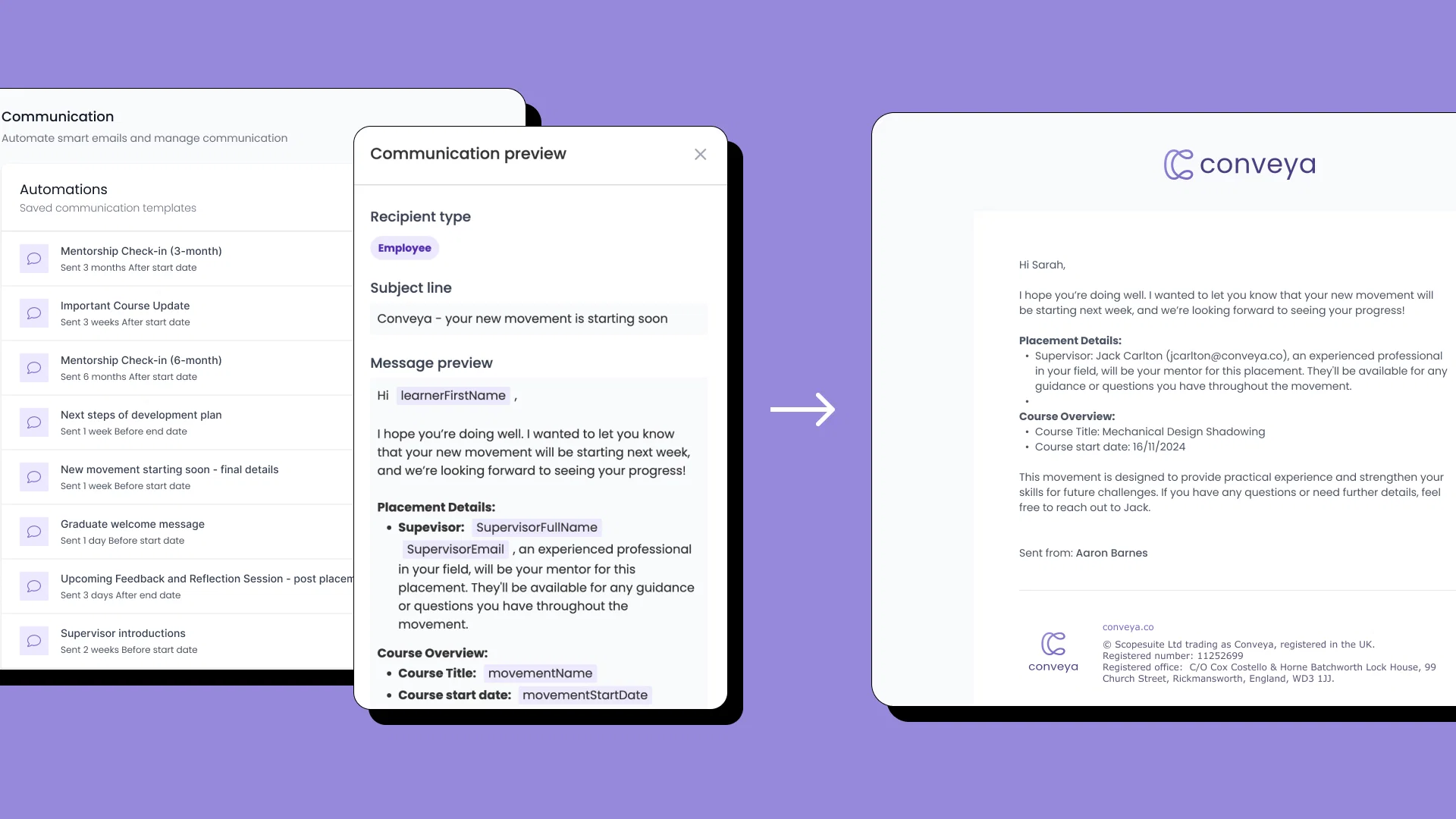

    We're excited to release the 'Communications' feature to the Conveya platform.

    Communications allows you to automate the distribution of messages to stakeholders within movements.

    createCommunication-28November2024-ezgif.com-video-to-gif-converter

    You can notify learners about important updates, such as the start of a new movement or any changes to their current movements. Similarly, you can keep movement managers and supervisors informed about key events or developments within a movement.

    We've updated our knowledge with guides on how to use the communications feature which you can find over at: https://managerhelp.conveya.co/category/323-communications

  9. Last reported date

    Improvement
    Update
    last reported announcement

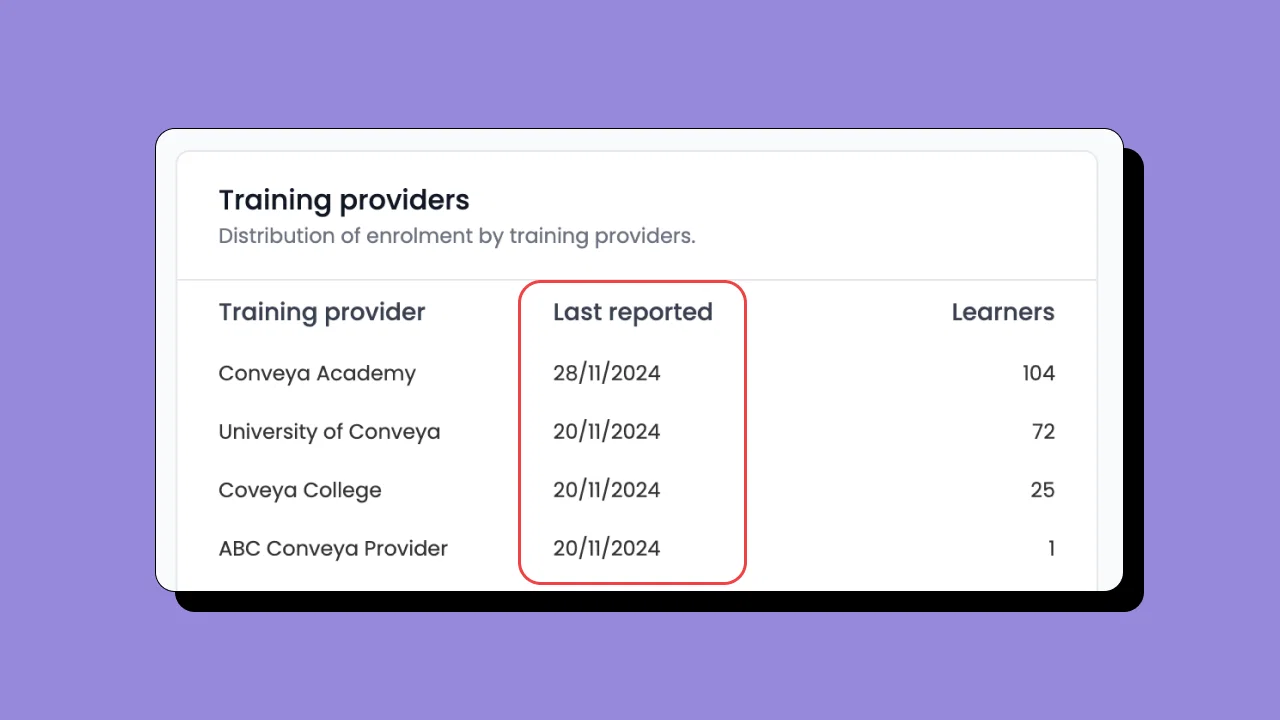
    We're pleased to announce that a "Last reported" section has been added to the training providers chart in a recent update to the Conveya platform.

    The last reported date will allow you to see when a provider has reported last — this date is applied when any stakeholder at a training provider has submitted a report.

    If new learners are added it'll show the date you enrol them as the last reported date.

    You'll find this within the training provider dashboard — on the 'Training Providers' chart.

    This update stems from our feedback sessions, which were later shared on our ideas board. Thank you to everyone who contributed their feedback—it helps drive platform improvements like this one.

  10. View ongoing movements on the people section

    Improvement
    Update

    image


    We've recently made an update to the 'People' section on Conveya.

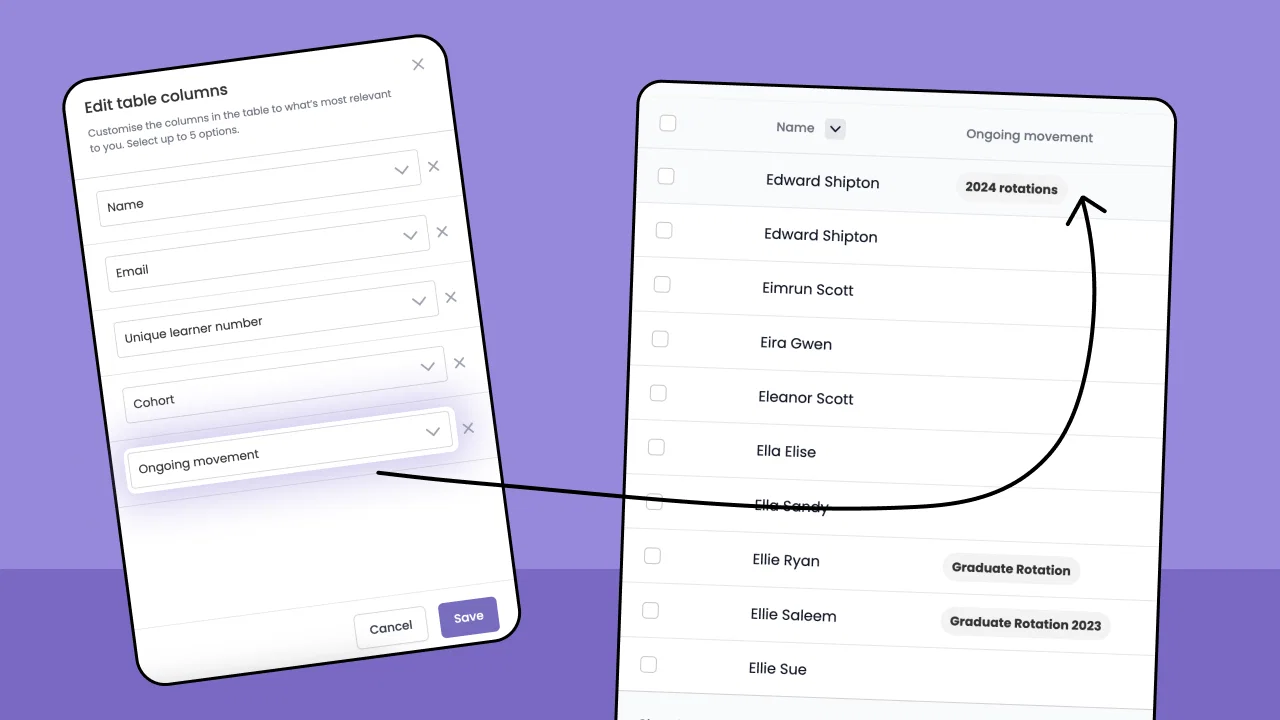
    You can now select 'Ongoing movements' as a table header in the people section. This means you can view which learners are currently ongoing on a movement at a glance.

    Newpeoplefeature-ezgif.com-video-to-gif-converter (1)

    Adding the 'Ongoing movement' header

    To add the 'Ongoing movement' header to your people section table follow this step by step guide below:

    1. Navigate to the 'People' section using the menu on the left.
    2. Click the three dots next to the filter button at the top right.
    3. Click 'Edit table columns' to open the table edit slideover.
    4. From one of the dropdowns, select 'Ongoing movement'
    5. Hit 'Save' at the bottom right of the slideover to apply the table header change.

    Note: You can only show 5 headers maximum on the people section.